
If you no longer need your Datatruck subscription, you can submit a cancellation request directly from the Subscription Billing page.
Step 1: Open Subscription Billing
- Go to Settings.
- Select Subscription Billing.
- Click Manage Subscription.
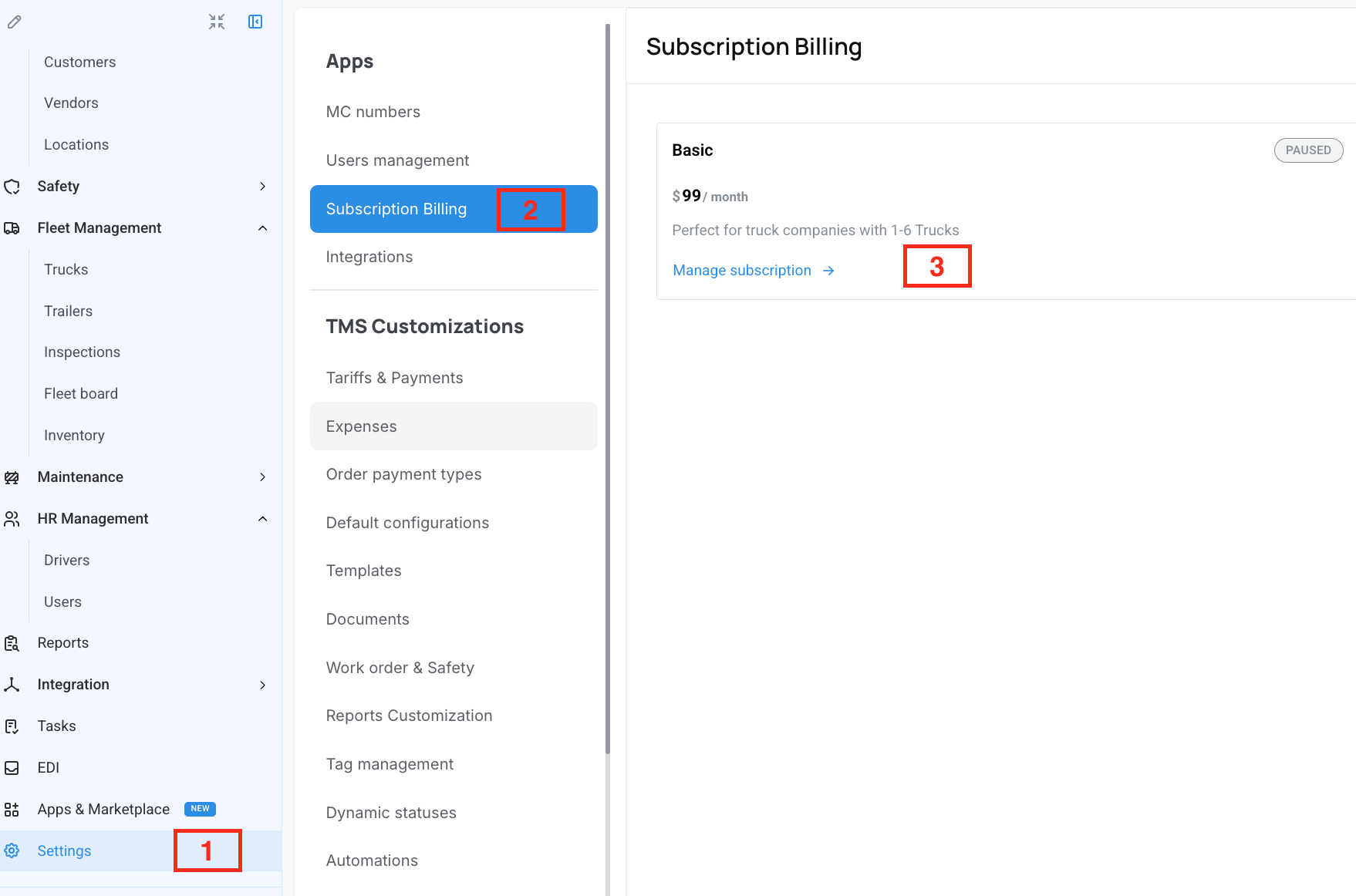
Step 2: Open the Subscription Window
A pop-up window will display your current subscription plan and available actions.
From this window, you can:
- View invoices
- Change your payment method
- Request a downgrade
- Request a cancellation
Step 3: Request Cancellation
- Click Request a cancellation.
- Click Continue if you want to cancel
Step 4: Wait for Confirmation
Once your request is submitted, the Datatruck team will review it and contact you.
We hope this article was helpful. However, if you have any further questions, please don't hesitate to reach out to our Live Support.
Comments
0 comments
Please sign in to leave a comment.