
The Trailer Finance section in Datatruck allows you to manage all financial details related to your trailers, ensuring clear visibility into purchase costs, loans, leases, rentals, insurance, and recurring expenses. This feature helps carriers and fleet managers track trailer finances the same way they manage truck finances within the platform.
How To Access Trailer Finances:
Go To Fleet Management > Trailers > Open Trailer's Profile > Financial.
Key Components
1. Finance Details
-
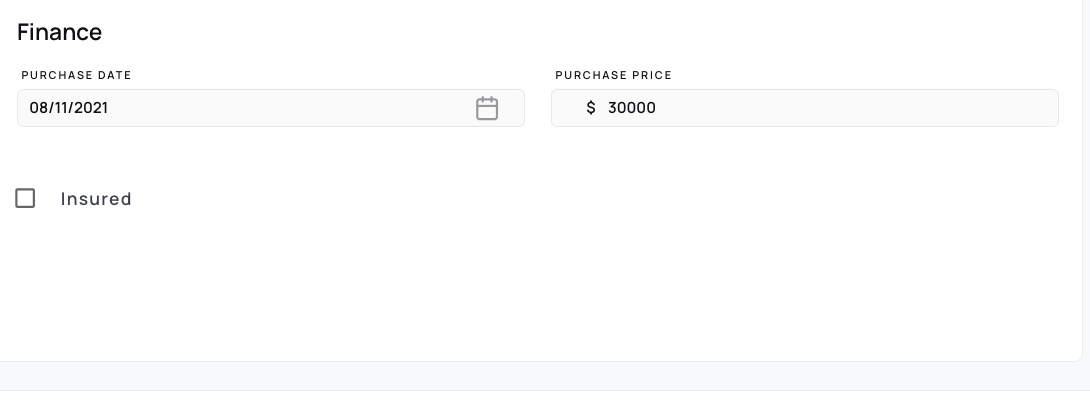
Purchase Date & Price: Record the date and amount when the trailer was purchased.
-
Insurance: Mark whether the trailer is insured for easier tracking.
2. Physical Damage Insurance
-
Add insurance details such as insured date, insured value, depreciated value, annual premium, and expiry date (in docu.
-
Keep all insurance records in one place for compliance and easy reference.
3. Expenses
-
Add recurring expenses linked to the trailer.
-
Track elements such as maintenance costs, trailer insurance, or any other regular financial expenses associated with your trailers.
4. Loan / Lease Options
Select the trailer’s financing type:
-
Loan: When the trailer is financed through a loan.
-
Lease: When the trailer is under a leasing agreement.
-
Rental: For trailers temporarily rented.
-
No Finance: For trailers that are owned outright without financing.
Why Use Trailer Finance?
-
Centralized Tracking: Manage all trailer-related financials in one place.
-
Better Cost Management: Monitor loans, leases, and recurring expenses to stay on top of budgets.
-
Compliance & Reporting: Store insurance details for easy audits and renewals.
-
Consistency: Manage trailer financing just like truck finance, keeping operations streamlined.
With the Trailer Finance feature, Datatruck makes it simple to stay organized, reduce manual tracking, and ensure every trailer’s financial data is well-documented.
We hope this article was helpful. However, if you have any further questions, please don't hesitate to reach out to our Live Support.
Comments
0 comments
Please sign in to leave a comment.