
In Datatruck, toll tags can be assigned to either a driver or a truck, and you can also choose whether to make the toll charges billable to the driver or vendor. This helps ensure toll-related costs are accurately reflected in salary statements and company records.
Where to Start
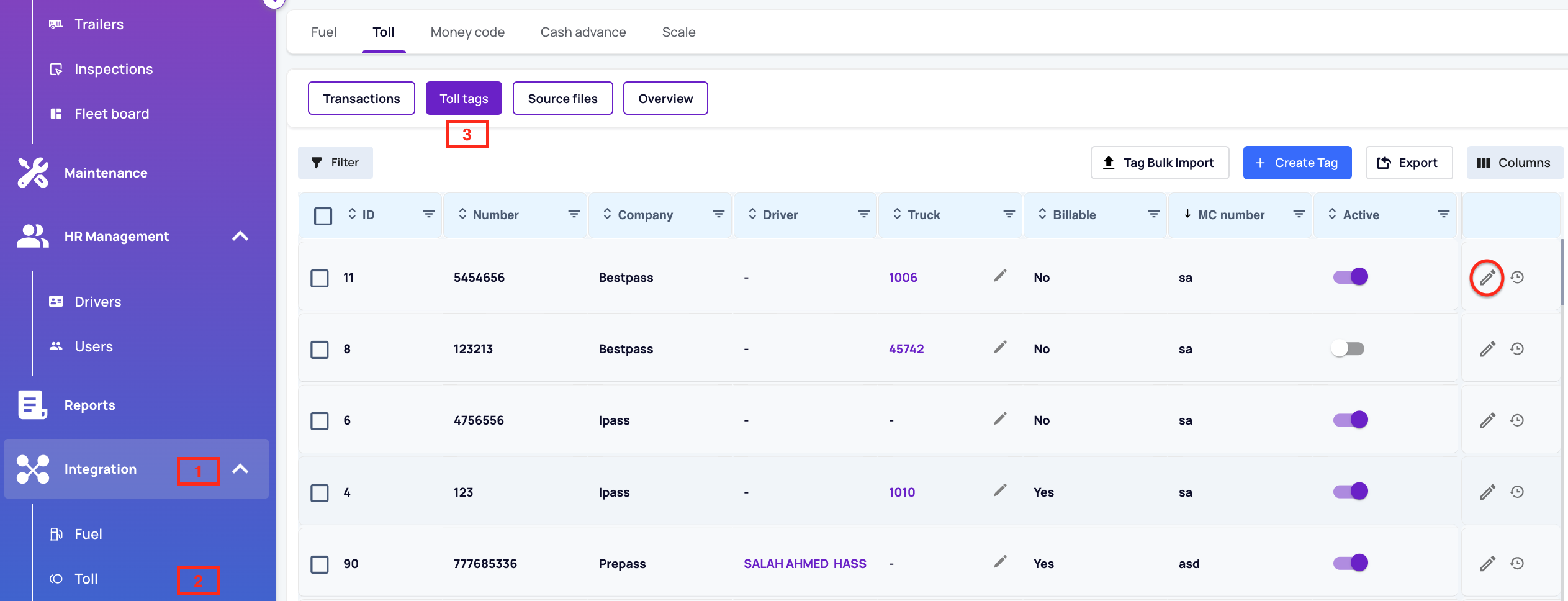
Go to: Integrations > Tolls > Toll Tags
Assigning a Toll Tag
Open the Tag Details
Double-click on an existing toll tag, or click the pencil/edit icon on the right. A side window will appear.Choose Who to Assign It To
In the side panel, select whether the tag should be assigned to a Driver or Truck using the available dropdowns.Make It Billable (Optional)
Checkmark Billable
Choose Driver or a Vendor
Checkmark Auto-Calculate so that toll charges are automatically applied to the driver's statement.
Activate the Tag
Ensure Is Active is checkmarked so the tag is valid in the system.Save Changes
Click Save. If Auto-Calculate is enabled, toll charges will be automatically included in the assigned driver's statement.
We hope this article was helpful. However, if you have any further questions, please don't hesitate to reach out to our Live Support.
Comments
0 comments
Please sign in to leave a comment.